
technology
Why Two-Factor Authentication Is More Important Than Ever: One Extra Step Could Save Your Digital Life
Learn why two-factor authentication is essential in 2026, how 2FA protects your accounts from stolen passwords and AI-powered scams, and which security methods (passkeys, security keys, authenticator apps, SMS) offer the strongest protection.
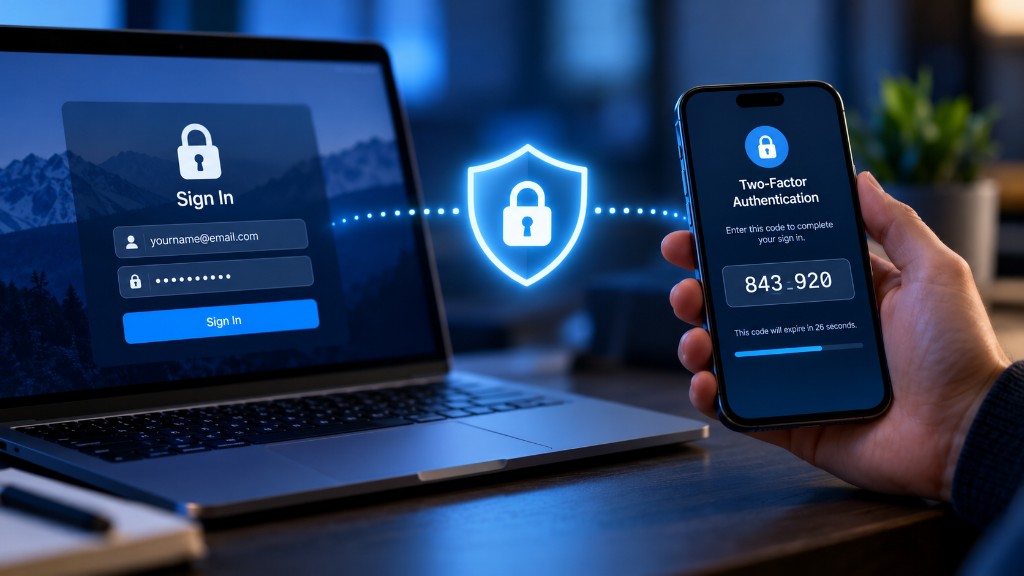
Imagine waking up one morning, reaching for your phone, and discovering that someone has accessed your email, changed your passwords, taken over your social media accounts, or even gained access to your banking information.
Now imagine that much of that damage could have been prevented by one additional security step that takes only a few seconds.
That is the power of two-factor authentication.
As cybercriminals become more sophisticated and artificial intelligence makes online scams more convincing, protecting your accounts with just a password is no longer enough. Whether you run a small business, work for one, create content for a living, or simply spend much of your life online, two-factor authentication is one of the most important security features you can switch on. It also matters at scale. The same weaknesses that let one person's account fall are what make incidents like the recent wave of AI-discovered security flaws threatening millions of websites so dangerous.
What Is Two-Factor Authentication?
Two-factor authentication is a security method that requires two different forms of verification before allowing someone to access an account. Instead of relying exclusively on a username and password, it adds another layer of protection to help confirm that the person signing in is actually you.
Authentication factors generally fall into three categories: something you know, such as a password or PIN, something you have, such as a phone or a security key, and something you are, such as a fingerprint or a face. Two-factor authentication combines two of those categories. You might enter your password and then verify the login using an authenticator app, a text message code, or a physical security key.
The process is straightforward. You enter your password, you verify your identity with the second factor, and then you get access. The important part is what happens when a criminal has your password but not your second factor. The login stops.
A stolen password might open the first door, but two-factor authentication puts a second lock on it.
Why Passwords Alone Are No Longer Enough
For years, people were told that creating a strong password was the best way to protect themselves online. Strong passwords still matter. But passwords can be stolen, exposed, guessed, reused, or handed over through convincing scams.
Cybercriminals lean on a familiar playbook. Phishing attacks use fraudulent emails, text messages, and websites to trick people into revealing login credentials. Data breaches at compromised websites and services expose passwords and other account information. Credential stuffing takes previously stolen username and password combinations and tries them on other sites, which is why reusing a password is so risky. Malware can steal passwords, browser information, or active login sessions directly from a device. And social engineering attacks rely on impersonation, with criminals posing as trusted organizations or individuals to convince victims to share sensitive information.
Artificial intelligence has made several of these threats more dangerous by helping criminals produce persuasive messages, realistic-looking websites, and convincing impersonations at a speed and scale that was not possible a few years ago. That means a password that has worked for years may already be circulating in a stolen database without your knowledge.
Two-factor authentication provides protection when a password has been compromised, although it cannot stop every attack. That is a crucial distinction, and it is why 2FA belongs inside a layered security strategy rather than replacing one.
7 Reasons Everyone Should Enable Two-Factor Authentication
- It Can Stop Someone Who Has Stolen Your Password
The biggest advantage of 2FA is that knowing your password may no longer be enough to sign in. If a criminal obtains your password through a phishing attack or a data breach, they may still need access to your authenticator, security key, or another verification method. That additional requirement can be the difference between a failed login attempt and a compromised account.
- Your Email Account Is a Gateway to Everything Else
Think about how many online accounts are connected to your primary email address. Bank accounts, shopping websites, social media profiles, cloud storage, business software, subscriptions, and financial services often use email for account recovery. If someone gains control of your email, they may be able to reset passwords and attempt to take over multiple other accounts in sequence.
Your primary email account should be the first account you secure, and it should get the strongest authentication method available.
- It Protects Your Money and Financial Information
Banking apps, payment services, and online financial accounts contain some of your most sensitive information. A successful account takeover can expose personal details and potentially allow unauthorized financial transactions.
Two-factor authentication adds protection to financial account access, particularly when it is combined with transaction alerts, strong passwords, and careful monitoring. It is not a cure-all. Attackers can still use phishing or impersonation to convince victims to authorize fraudulent transactions themselves, so vigilance remains part of the job.
- It Helps Protect Your Business and Customers
For a business owner, a compromised account is much more than a personal inconvenience. An attacker who reaches your company email system, website administrator account, customer database, payment platform, or advertising account can expose confidential customer information, make unauthorized changes to your website or business listings, send fraudulent invoices or payment instructions, interrupt operations, cost you revenue, and damage the reputation and trust you have spent years building.
Small businesses are not immune. Even a business with a few employees depends on technology that can become a target, and attackers frequently assume smaller operations have weaker protections. Requiring multi-factor authentication across company accounts is one of the highest-value steps a small business can take this year. If your computer itself needs attention, a local repair shop such as Garwood's Computers and Repair can check for malware and account compromise before you re-enable access.
- It Can Prevent Social Media Account Takeovers
Social media accounts often represent years of work building an audience, creating content, and establishing a brand. Losing access to a Facebook, Instagram, TikTok, YouTube, or other account can disrupt both personal communication and business operations. An attacker might impersonate the account owner, publish scams, contact followers, or change account recovery settings to lock the real owner out permanently.
Enabling two-factor authentication reduces the chance that a stolen password alone can be used to take over an account.
- It Helps Protect Personal Photos, Files, and Messages
Your digital accounts may hold private photographs, personal documents, identification information, conversations, and cloud backups. Unauthorized access can expose information you never intended to share publicly, and some of it can be used against you later in more targeted scams.
Protecting cloud storage, email, and messaging accounts with two-factor authentication significantly strengthens your digital privacy.
- It Takes Seconds but Can Prevent Major Problems
The additional verification step is usually quick. Depending on the method, signing in might require tapping a notification, entering a temporary code, or touching a security key. Some passkeys make the experience faster than typing a password, because sign-in happens with a face scan, fingerprint, or device PIN.
A few seconds of verification is a small trade-off compared with the disruption of recovering a hacked account, contacting financial institutions, and restoring compromised business systems.
Not All Two-Factor Authentication Methods Are Equally Secure
Enabling almost any additional verification method is better than relying on a password alone, but certain authentication technologies provide significantly stronger protection. The Cybersecurity and Infrastructure Security Agency recommends using phishing-resistant authentication wherever possible.
At the strongest end are FIDO2 security keys and properly implemented passkeys, which are designed specifically to resist credential phishing. Next are authenticator apps that generate time-based codes, which are a good option but whose codes can still be tricked out of a user by a convincing fake login page. App push verification with number matching is also good and cuts down on accidental approvals, though it is not phishing-resistant. At the most basic level sit SMS and email verification codes, which remain far better than nothing but are vulnerable to interception, phishing, and account takeover.
Why Passkeys Are Becoming More Important
Passkeys are a modern authentication technology that can replace traditional passwords. Rather than requiring you to remember a password, a passkey uses cryptographic credentials tied to a device or a secure credential provider. You sign in with Face ID, a fingerprint, a device PIN, or an approved security key.
Properly implemented FIDO-based passkeys are designed to prevent a fake website from obtaining credentials that would work on the legitimate site, because the credential is bound to the real domain. Organizations including Microsoft have been moving toward phishing-resistant authentication precisely because traditional verification methods remain vulnerable to sophisticated phishing attacks.
What Happens If You Do Not Enable 2FA
Consider a realistic example. A small business owner uses the same password for their business email and several online platforms. One of those services experiences a data breach, exposing the password. An attacker finds the credentials, tries them on the owner's email account, and gets in.
From there, the criminal attempts to reset passwords for other services, reads business correspondence, and impersonates the company in messages to customers. If the email account had been protected with a strong second factor, the stolen password alone would likely have been useless.
This is why securing your email and other critical accounts deserves to be a priority this week rather than someday.
How to Enable Two-Factor Authentication
Most major online services provide some form of additional login verification. The setup usually takes less than five minutes.
Start by opening your account's security settings. Sign into the service and look for a menu labeled Security, Login and Security, Password and Security, or Account Protection.
Next, find the two-factor or multi-factor authentication option. The setting may be labeled 2FA, MFA, Two-Step Verification, or Passkeys, depending on the company.
Then choose the strongest method available. Prefer a passkey or physical security key when the service supports it. Otherwise, use a reputable authenticator app. SMS verification is still preferable to no additional protection at all.
After that, save your recovery options. Store recovery codes somewhere secure and register a backup authentication method when the service allows it.
Finally, confirm everything works. Test your authentication method while you still have full access to your account, and do not remove existing recovery methods until the new ones are verified.
Which Accounts Should You Protect First
Ideally, you would enable two-factor authentication on every account that supports it. If you need to prioritize, start with the accounts that can expose sensitive information, money, or access to everything else.
That list is short and worth writing down: your primary personal email, your business email and any employee accounts, banking and payment platforms, your Apple, Google, or Microsoft account, social media profiles, website hosting and domain registrar and administrator logins, cloud storage and your password manager, and any shopping accounts with saved payment methods.
If you manage a business phone system or automated text replies, review who has administrative access to those tools as well. Our guide to setting up Twilio auto-replies for text messages and calls covers the operational side of that setup, and it is worth confirming that the account behind it is protected too.
Important: Two-Factor Authentication Is Not Foolproof
Two-factor authentication is highly recommended, but it does not guarantee that an account can never be compromised. Criminals may attempt to bypass weaker methods by stealing temporary codes, hijacking active login sessions, swapping SIM cards to intercept text messages, or simply tricking someone into approving a login request they did not initiate.
Never share your authentication codes with anyone, including someone claiming to represent customer support. No legitimate support agent needs your one-time code, and that request is almost always an attack in progress.
If you receive an unexpected login approval request, deny it and investigate your account's security immediately. Change the password, review active sessions and connected apps, and check your recovery email and phone number for changes you did not make.
You should also use unique passwords, keep devices and apps updated, monitor suspicious account activity, and avoid clicking login links in messages you were not expecting. A layered security strategy offers the best protection.
What Businesses Should Be Doing Right Now
Business owners should treat multi-factor authentication as a standard security requirement rather than an optional convenience. This matters most for accounts that control customer information, company finances, website infrastructure, advertising, and internal communications.
That means establishing a clear policy requiring MFA, prioritizing phishing-resistant methods for administrators and high-risk accounts, removing access promptly when employees leave, and providing ongoing cybersecurity education so staff recognize the phishing attempts that target them. Phishing-resistant authentication for administrators is no longer an enterprise luxury. It is basic operational hygiene for any business that stores customer data or takes payments online.
The National Institute of Standards and Technology publishes detailed digital identity and authentication guidance in its SP 800-63B-4 publication, and it is the reference document many security teams build their policies around.
These precautions reduce exposure to account takeovers and demonstrate a commitment to protecting business operations and customer information.
Final Thoughts: Do Not Wait Until Your Account Gets Hacked
Cybersecurity is no longer something only large corporations need to worry about. Every email address, social media profile, banking account, and business login represents a potential target.
No security system is perfect, but two-factor authentication remains one of the simplest and most effective ways to strengthen account security. Your passwords matter. Your personal information matters. Your business and your customers matter.
Protect them before something happens, not after.
Take a few minutes today to review your most important accounts and enable the strongest authentication options available. That one extra step could prevent a far bigger problem tomorrow.
Frequently Asked Questions About Two-Factor Authentication
Is two-factor authentication really necessary?
Yes. Anyone using email, financial services, social media, or business applications benefits from enabling 2FA. It reduces the risk that a stolen password alone will give an attacker access.
Can hackers bypass two-factor authentication?
Yes. Certain methods can be bypassed through phishing, intercepted codes, or stolen login sessions. Phishing-resistant methods such as FIDO2 security keys and passkeys offer stronger protection.
Is an authenticator app better than text messages?
Generally, yes. Authenticator apps avoid some of the risks associated with SMS, including SIM-swapping attacks. However, one-time codes generated by authenticator apps can still be phished by a convincing fake login page.
What happens if I lose my phone?
You may be able to recover access using backup codes, another registered device, a backup security key, or the service's official recovery process. Set those recovery methods up before you lose access, not after.
Does two-factor authentication cost money?
Many services offer two-factor authentication for free, including authenticator apps and passkey options. Physical security keys generally require a purchase, and they are the most durable option for high-value accounts.
Should employees be required to use MFA?
Yes. Businesses should require MFA for employee accounts, especially those accessing financial systems, administrative tools, customer information, and other sensitive resources.
Sources and Further Reading
The Cybersecurity and Infrastructure Security Agency maintains a plain-language guide on requiring multifactor authentication that is worth sharing with staff, available at CISA: Require Multifactor Authentication. For the technical standard behind modern authentication policy, see the NIST Digital Identity Guidelines, SP 800-63B-4.
Published by
Socially Versed
Socially Versed covers local businesses, creators and community across Indiana. Discover trusted pros, events and stories that matter.
Get more local spotlights like this
Join the Insider Club for new businesses, events & promotions — delivered free.
Related Stories

technology
Is AI-Built Software Safe? The Hidden Security Risks Every Business Owner Should Know
Nov 18, 2026 · 13 min read

technology
AI Can Build Your Website in Minutes. But Who's Protecting What's Behind It?
Nov 13, 2026 · 22 min read

technology
How to Claim Your Business in ChatGPT and Get Verified
Nov 11, 2026 · 5 min read

technology
ChatGPT May Soon Let You Claim Your Business: What OpenAI's New Business Hub Could Mean for SEO, GEO, and Small Businesses
Nov 9, 2026 · 12 min read

technology
Google Workspace for Small Businesses: Get Professional Email, AI Tools, and More With a 14-Day Free Trial
Nov 9, 2026 · 9 min read

technology
Instagram Launches Edits for Mac With AI Video Editing and 4K Export
Nov 5, 2026 · 3 min read